



With each day passing by, life is getting complex, task completion is becoming challenging, and days are getting less productive. To attain efficiency in work, Project Management Software comes in handy. These software help in planning, allocating, organizing, and managing teams or solo projects and their working. They help in reducing efforts and unnecessary man-hours. These tools help in assigning tasks, meeting deadlines, creating a healthy workspace, and more.
Get to know more about project management software. Below is the list of a few software. You can choose them according to your needs.
Project Management Software List
Let us dive right into each software, and then you be the judge of which project management software is best.
1. Jira

Jira is a project management software designed to handle team assignments in agile software development. This software makes the team work as one and on one common goal. Jira allows to outline the whole project progress and ensures collaboration with a bunch of tools. Real-time visibility into team data helps to keep all the employees on track and on the same page. It has a number of pre-set templates to choose from, and one can even customize them according to their need, as the software is extremely flexible.
Key Features-
- Access to scrum and kanban boards
- Project tracking at any stage
- Mobile application for easy use
- Numerous reports are available
- Roadmaps for creating, handling, fixing
- Equipped with real-time notification
- Expert AI-Powered Templates
- Dashboard customization
- Color indication time tracking
- AI-Automated Task Breakdown
Free Trial- Free trial is available for 10 users only. You get the basic features like kanban view, agile reporting, and more whereas you don’t get the high-end features like sandbox, and advanced permissions.
Where to buy?- www.atlassian.com
Subscription Plans-
- Standard Annual Plan (201 – 300 users) – $23,500
- Premium Annual Plan (201-300 users) – $43,500
Updates- N/A
Support- privacy@atlassian.com
Capterra Review Rating- 4.4 stars
TrustPilot Review Rating- N/A
2. Trello
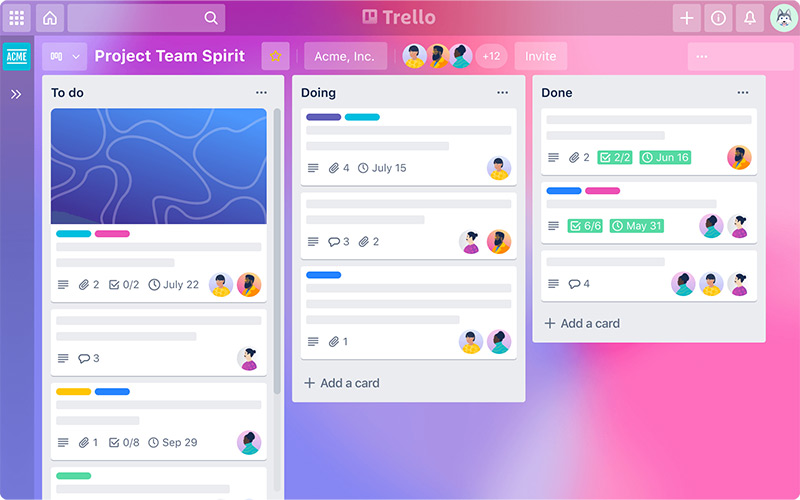
Trello is an online project management tool that helps in collaborating and improving productivity while making task tracking easy. “Cards” is a feature which helps in organizing tasks and projects. For every new task and project you can use a new card. Trello’s features allow to break down bigger tasks into steps using reminders, comments, reactions, file attachments, and checklists. It is best known for its Kanban view. It allows you to visualize your projects in terms of status and progress.
Key Features-
- Idea to action with Trello board
- Timeline to stay updated
- Calendar to complete tasks on time
- Integrate multiple apps
- Templates to save time
- Individual/Group task assignments
- Discussions
- Easy drag & drop editing
- AI-Generated To-Do Summaries
- Automated Link & Asset Extraction
Free Trial- Free trial is available for this product. It includes basic features like unlimited cards, trello templates in the free plan. On the other hand, it does not include premium features like timeline view, unlimited workspaces.
Where to buy?- www.trello.com
Subscription Plans-
- Standard- $5 per month annually
- Premium- $10 per month annually
- Enterprise- $17.50 (50 users) per user annually
Updates- N/A
Support- privacy@atlassian.com
Capterra Review Rating- 4.5 stars
TrustPilot Review Rating- 2.7 stars
3. Basecamp
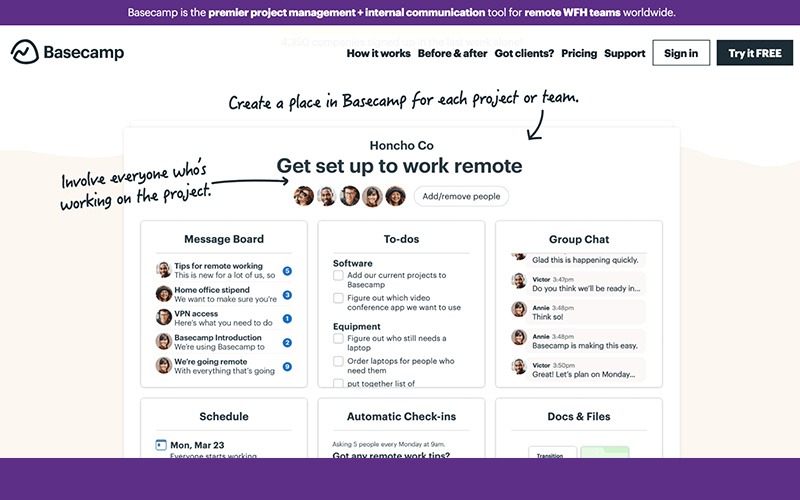
Basecamp is a real-time communication tool with the help of which a team can stay on the same page. Basecamp helps in easy task creation and assigning them to an employee or a group of employees. While assigning, you have complete liberty to mention all the details that you want to take care of while performing the task. You can view your stuff and the stuff of your employees in your team. Make use of to-dos, post announcements, pitch ideas, etc., to get projects done easily. One of the best things about Basecamp is that your team can access it from anywhere, i.e., web, android, and iOS.
Key Features-
- Create unlimited projects
- Space to run the entire company
- Control what clients can see
- Invite unlimited users
- Project templates for easy use
- Work with tons of clients from Basecamp
- Kanban-style Card Tables
- Personal Daily Work Reports
- Automatic Overdue Task Roll-up
- AI Agent Integration
Free Trial- Free 30 days trial is available for this product. No credit card required. Free version consists of 3 projects, 20 users, and 1 GB storage, while the business version consists of unlimited projects, unlimited users, 500 GB storage, and more.
Where to buy?- www.basecamp.com
Subscription Plans-
- Plus Monthly- $15/ user per month
- Pro Unlimited Monthly – $299
Updates- Free lifetime future updates are available for this product.
Support- support@basecamp.com
Capterra Review Rating- 4.3 stars
TrustPilot Review Rating- 3.8 stars
4. Nifty

Nifty is a clean and neat-looking software. It helps in consolidating projects, goals, and communications to make the workflow easy. It literally has everything essential on just a single page. It has an interactive admin dashboard where you can view all your work and act accordingly. Nifty’s scalable layout, helps in easy assignments tracking and activities tracking across projects. It helps in easy filtering of projects and tasks by due dates, assignees, milestones, and more to know where your team stands. Real-time project reporting and status updates were never this easy.
Key Features-
- Unlimited active projects
- Discussions and chat with the team
- Budget tracking included
- Cross project overviews
- Set recurring tasks
- Detailed project understanding
- Project Portfolios (Managing multiple project health at once)
- Automatic Check-Ins
- Workflow Automations
- One-Click Import
Free Trial- Free trial is available for this product forever with unlimited users. Apart from this the free version has standard features like unlimited users, low storage space of 100 MB, and more, while high-end pack like the “Unlimited” has unlimited storage space, unlimited active projects, and more.
Where to buy?- www.niftypm.com
Subscription Plans-
- Starter: $39
- Business: $124
- Unlimited: $299
Updates- Free lifetime future updates are available for this product.
Support- team@niftypm.com
Capterra Review Rating- 4.6 stars
TrustPilot Review Rating- N/A
5. Taskeo

Taskeo is a project management software with appointment scheduling feature that helps in contact management, meeting planning, marketing, time tracking at one place. With Taskeo you can move your business to the cloud and work from an integrated platform. You can integrate this tool with other products from Taskeo’s suite and from a number of external apps, like Zapier, Slack, or Dropbox. This feature-packed toolkit from Taskeo helps you to focus on the most important tasks, stay updated with everything around and manage the whole workload.
Key Features-
- Personal Organized Dashboard
- Stay Updated with Activity Feed
- Smart Search to access quickly
- Mentions & Social-Style Activity Feeds
- Multi-Module Suite (Integrated CRM, Marketing, and Support modules)
- Branded Client Portals & Meeting Forms
- Make Recurring tasks to save time
- Create Subtasks for clarity
- Create task & project templates
- Filter project viewing
Free Trial- Free trial is available for this product. Unlimited projects in the free plan as well. The Free version has almost the same features as that of the Pro version, limiting a few- project templates, task templates, project automation, and task reminders.
Where to buy?- www.taskeo.co
Subscription Plans-
- Appointment Scheduling: Free or $5 / User / Month
- CRM: Free or $5 / User / Month
- Email Marketing: Free or $5 / User / Month
- Project Management: Free or $5 / User / Month
- Time Tracking & Billing: Free or $5 / User / Month
Updates- Free lifetime future updates are available for this product.
Support- office@taskeo.co
Capterra Review Rating- 4.9 stars
TrustPilot Review Rating- N/A
6. Goals by KeepSolid
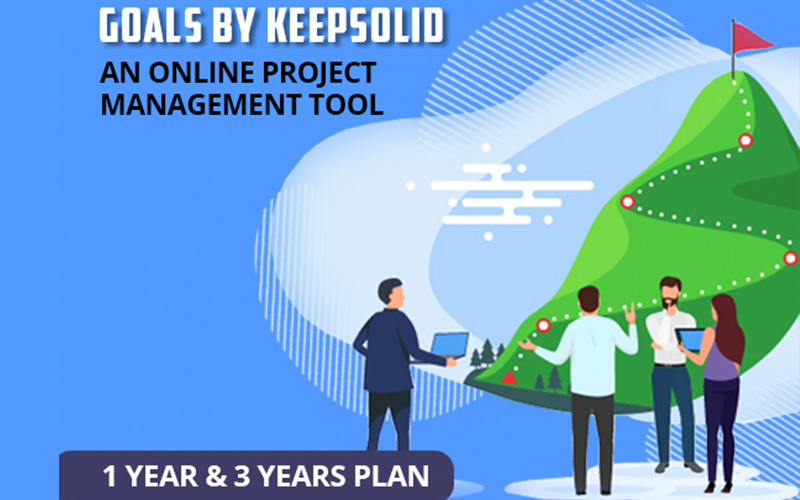
KeepSolid Goals helps you keep track of your goals and make new strategies. Plan your way out to complete the given tasks efficiently and in a given amount of time. Business owners, project managers, and team leaders can use this. Having a helicopter view of your objectives gives you an overview of all due dates, key results, team members, tasks, etc., and helps things fall according to the plan. Your business will move faster than ever using GOALS.
Key Features-
- Define a global objective
- Use mindmaps to set key results
- Switch between teams
- Use Kanban boards to track progress
- Roadmaps to view key results
- Track progress on burnup charts
- View task status reports
- Cumulative flow diagrams for better vision
Free Trial- 14 days free trial is available for this product.
Where to buy?- www.keepsolid.com
Subscription Plans-
Yearly:
- $7.99 per user per month
Updates- Free lifetime future updates are available for this product.
Support- privacy@keepsolid.com
Capterra Review Rating- 4.8 stars
TrustPilot Review Rating- 4.6 stars
7. Bloo

Bloo is the management software that helps teamwork simple, productive, efficient, and interesting with a number of tasks, projects, and users. It is a service with a calendar, activities, schedule management, and notifications and has the potential to automate anything and everything. The users create their projects and add team members with ease. After adding, they are then good to go work on their project. With all tools in one place, Bloo helps make plans and set a clear path of how to do the things properly and precisely.
Key Features-
- Create unlimited projects
- Live activity feed
- Import export in minutes
- Board view for efficiency
- @mention in comments
- Automate common workflow
- Visualize items on interactive maps
- AI-Powered Threat Detection
- Detection Engineering
- Agentic AI Integration
Free Trial- Free 14 days trial is available for this product.
Where to buy?- www.bloo.io
Subscription Plans-
- Monthly- $50 (unlimited users, projects, and files)
Updates- Free lifetime future updates are available for this product.
Support- help@bloo.io
Capterra Review Rating- 5 stars
TrustPilot Review Rating- 3.7 stars
8. Taskblast

TaskBlast is a Project Management tool that is easy to use and helps in keeping the projects on track. Work teams and freelancers use this software to manage their projects in an orderly way. It also allows involving the clients or the product owners. You can customize and manage projects in a friendly way, involving clients and team members.
Key Features-
- Manage time tracking conveniently
- Plan projects with Gantt charts
- Initiate Agile Focus
- Resolve Comments with ease
- High-level overview of projects
- Set attributes easily
- Easily Accessible Key Info
- Info on projections and budgets
- Automated Daily Stand-up Manager
- Sprint Review Feature
- Projection & Budget Analytics
Free Trial- Free trial is available for 5 projects and 2 users. The High-End plan namely- “Pro 1 Year” has unlimited projects, unlimited users, and more high-end features. No credit card required.
Where to buy?- www.dealfuel.com
Subscription Plans-
- Annual- $49 (unlimited users, unlimited projects)
- Lifetime- $149 (unlimited users, unlimited projects)
Updates- Free lifetime future updates are available for this product.
Support- support@taskblast.com
Capterra Review Rating- N/A
TrustPilot Review Rating- N/A
9. DebugTool
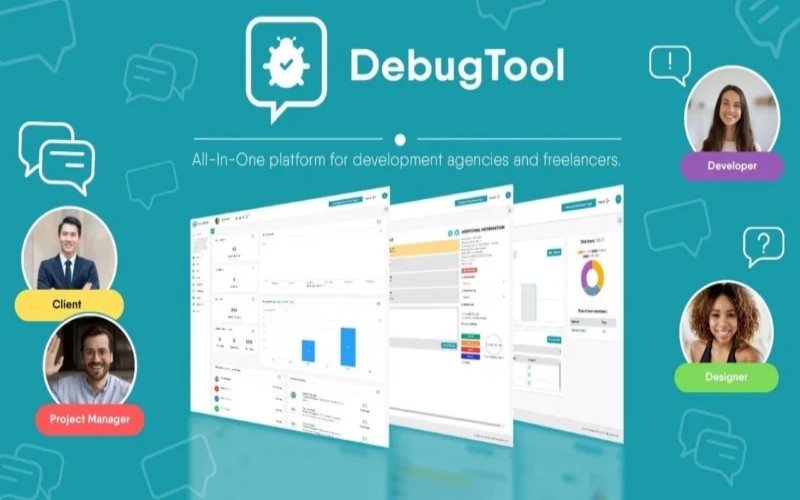
DebugTool is a powerful, clutter-free project management system. It is designed to cut down endless back-and-forth communication and streamline your entire workflow. It centralizes projects, tasks, team updates, and client feedback into one easy-to-use platform and saves you weeks of delivery time. With 1-minute setup, visual on-site debugging, task logging, agile tools, and seamless integrations, it helps managers, developers, designers, and clients collaborate effortlessly.
Parent Company- DebugTool
Key Features-
- Project Planning with Milestones
- Task Delegation & Team Roles
- Agile Development Support
- Central Project Management Hub
- Proactive Monitoring
- Visual Feedback Automation
- Instant Project Progress Overview
- Team Load Insights
- Inbox System for Communication
- Client & Team Chat Window
- Disk Storage & Media Library
- Automated Mailing System
Free Trial- Free 14 days trial is available for this product.
Where to buy?- www.dealfuel.com
Subscription Plans-
- Lifetime- $59 per user
Updates- Free lifetime future updates are available for this product.
Support-support@debugtool.com
Capterra Review Rating- N/A
TrustPilot Review Rating- N/A
10. Taskolly

Taskolly helps in managing your projects and organizing anything with ease because of its flexibility. This software helps you and your team to manage tasks just so you can all be productive as a team and be efficient enough. Plan, organize, and implement projects of all kinds of sizes on time, using single project planning software. It has the perfect tools, all in one place. Collaboration tools help in planning projects and scheduling features.
Key Features-
- Project planning and scheduling
- Set deadlines for yourself
- Follow projects and keep everyone aligned
- Create an individual or shared workspace
- Create milestones for your project
- Assign tasks & set due dates for completion
- Use the kanban board for progress tracking
- Access allowed to 10 users
- Multi-Workspace AI Sync
- Smart Time Tracking & Automated Reporting
- Kanban Task Prioritization Logic
Free Trial- Free lifetime trial is available for 1 user only. The Free plan has basic features like 1 user, 1 project, 1 workspace, 5 clients, and task calendar. Whereas the Enterprise plan has unlimited users, projects, workspaces, clients, and other high-end features.
Where to buy?- www.taskolly.com
Subscription Plans-
- Pro Lifetime Plan- $79 (5 users)
- Business Lifetime Plan- $119 (10 users)
- Enterprise Lifetime Plan- $299 (unlimited users)
Updates- Future updates are available for this product.
Support- info@taskolly.com
Capterra Review Rating- N/A
TrustPilot Review Rating- N/A


